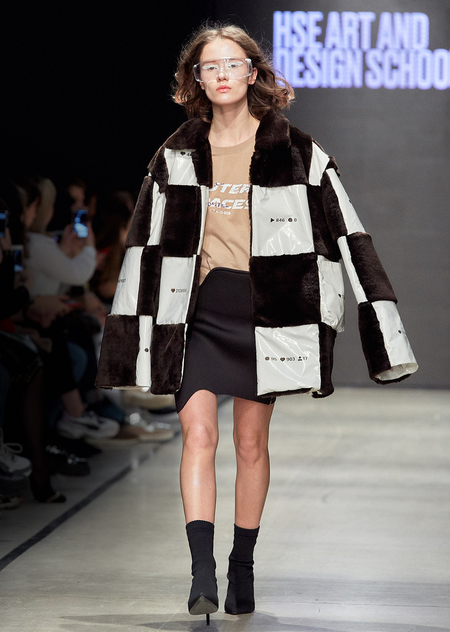
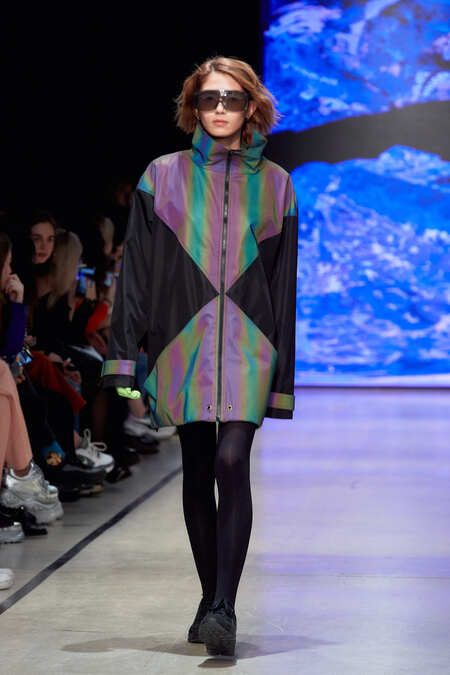
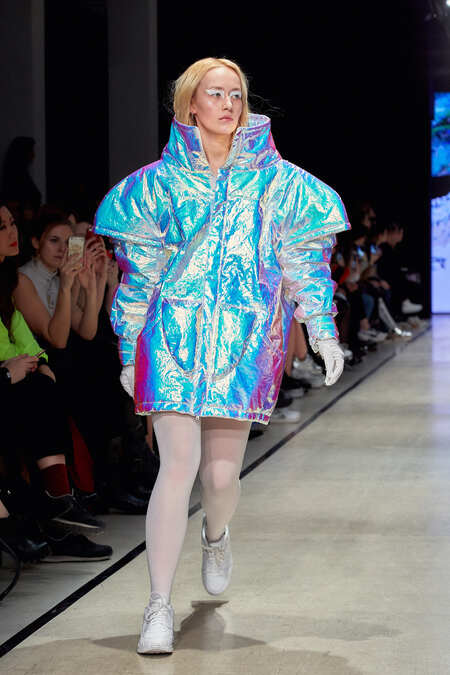
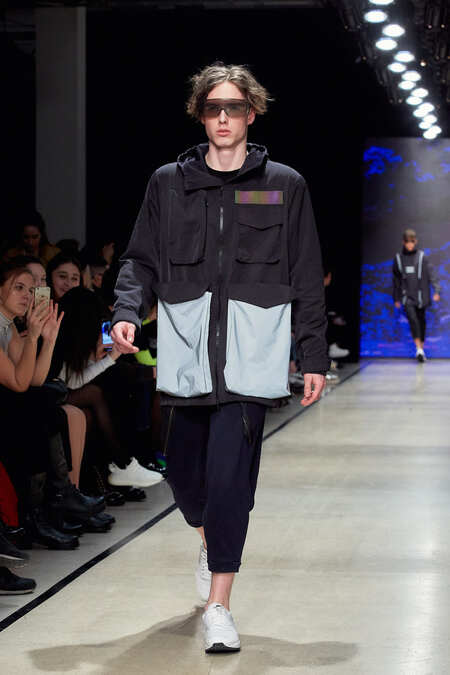
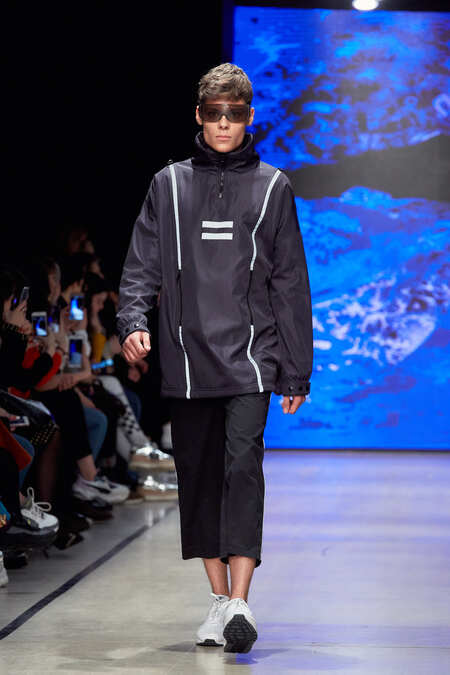
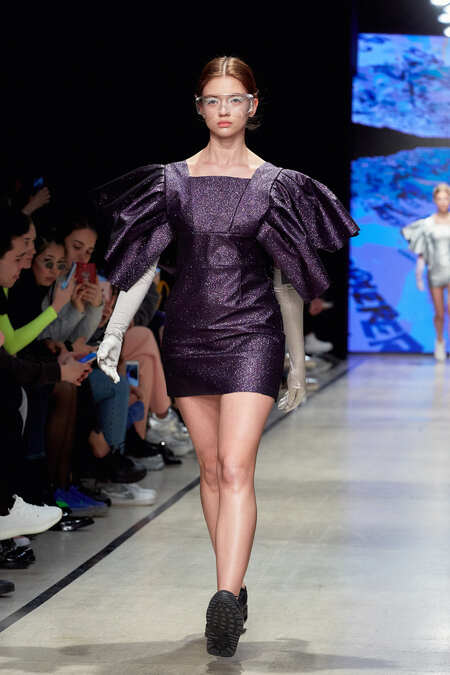
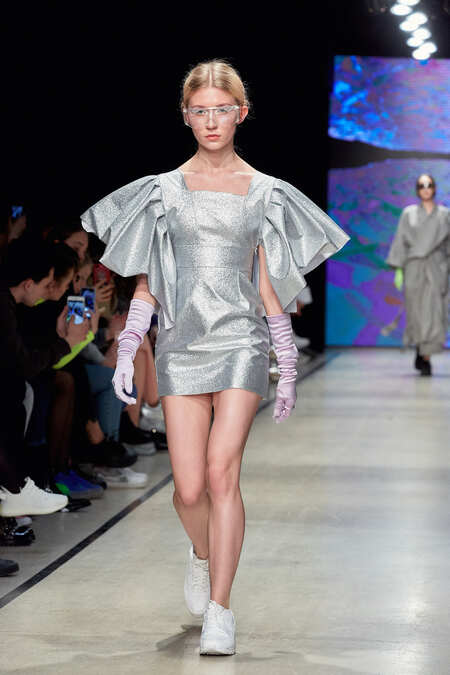
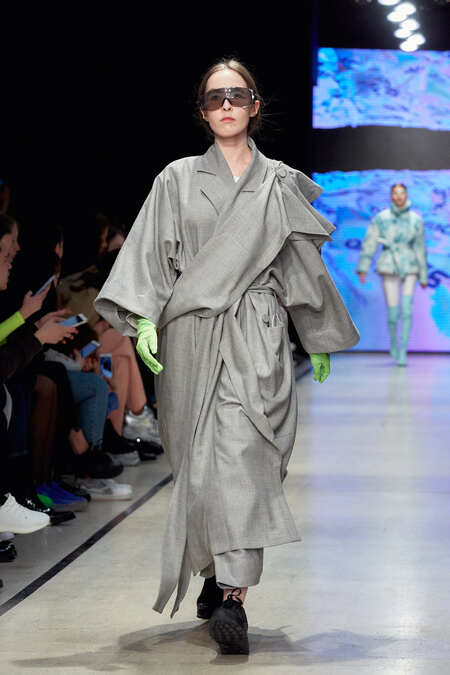
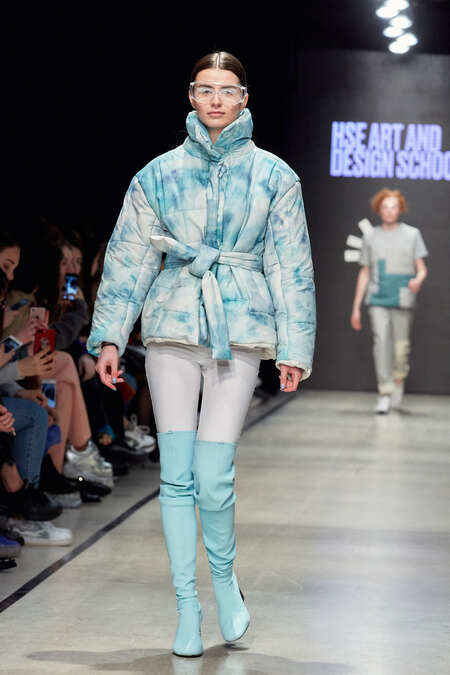
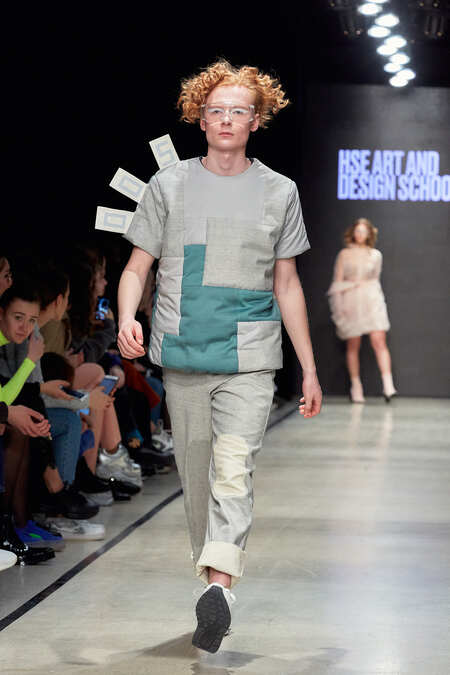
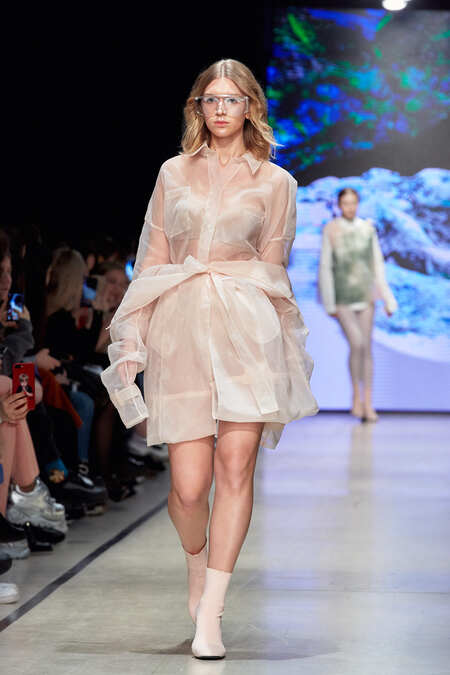
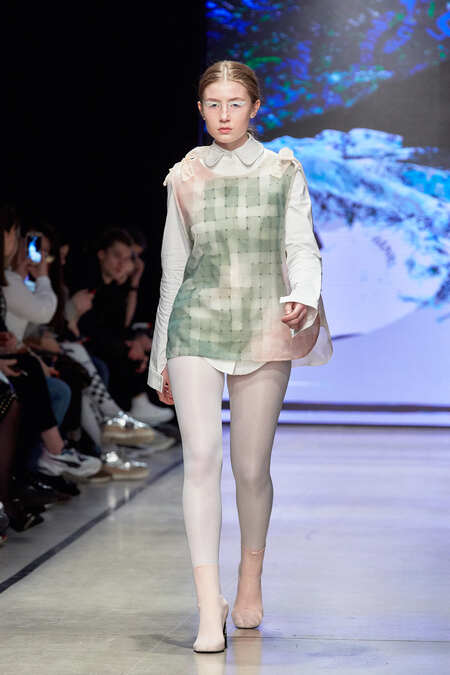
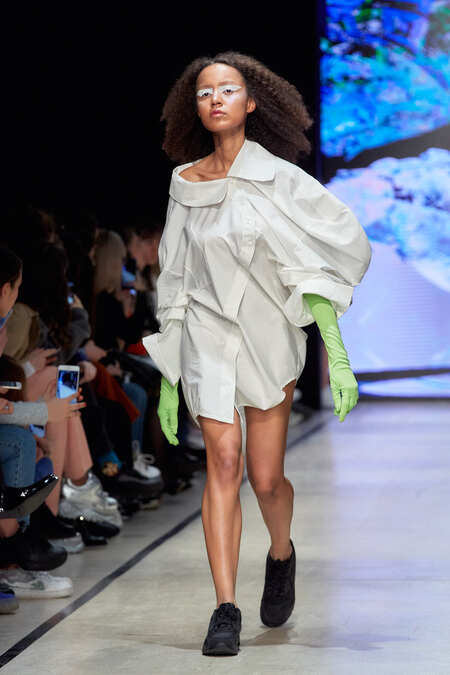
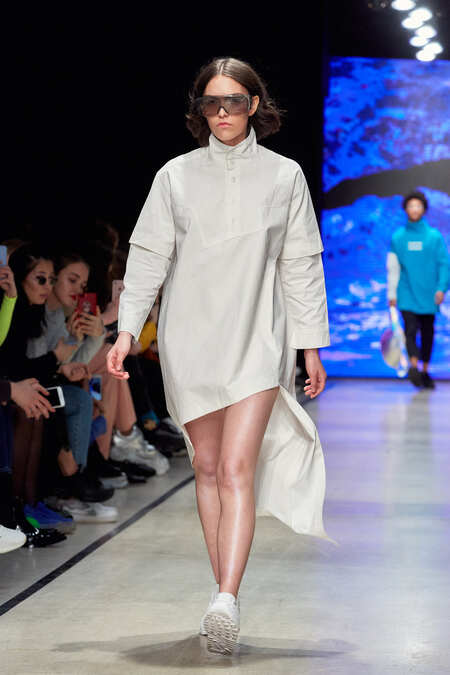
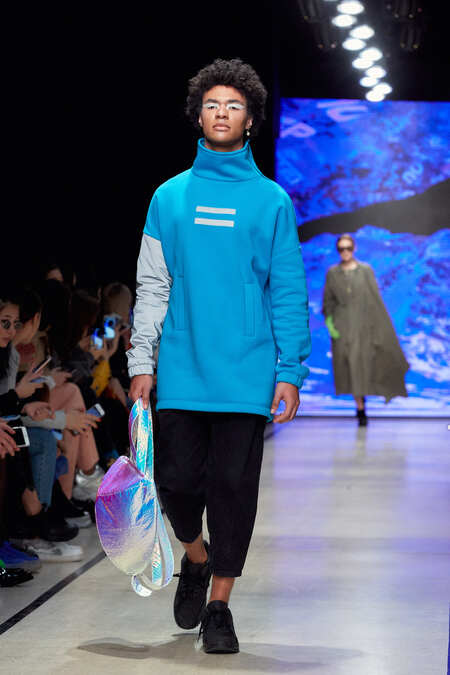
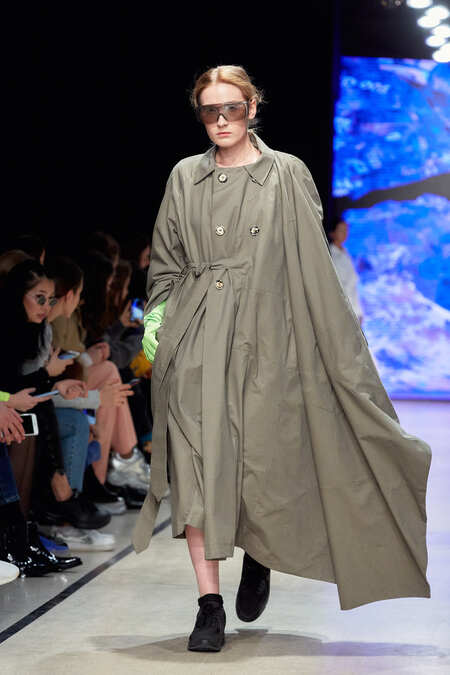
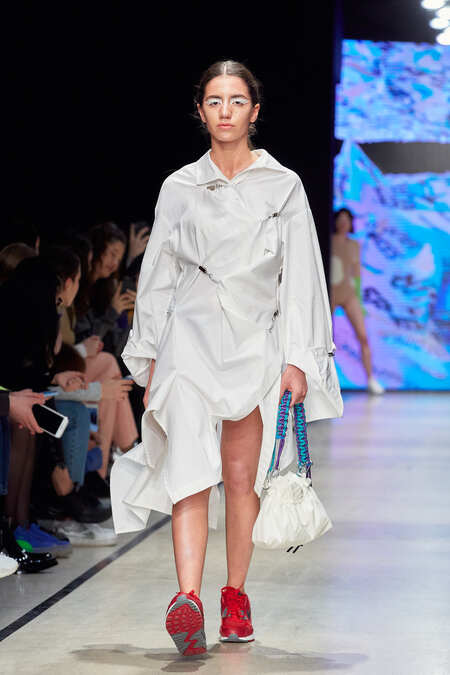
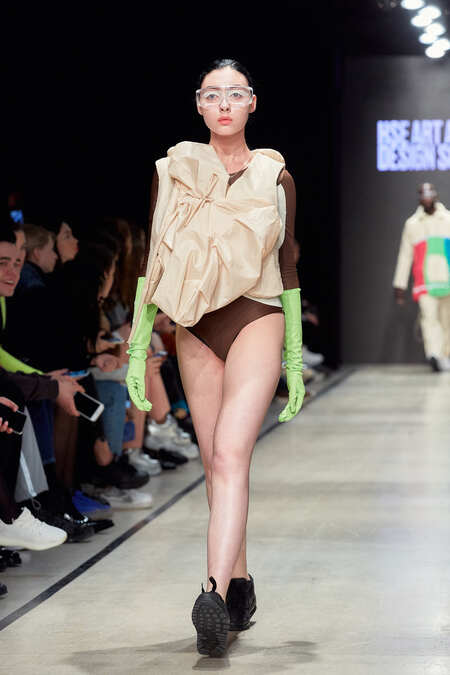
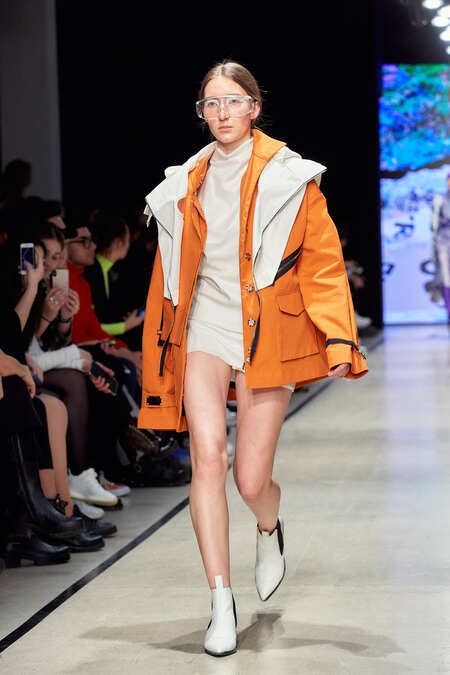
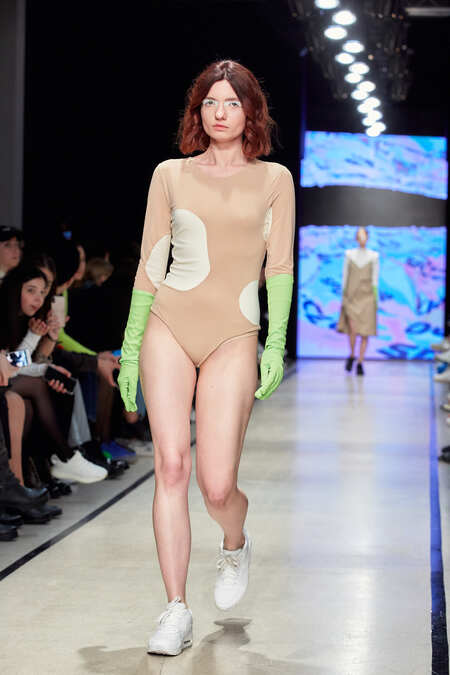
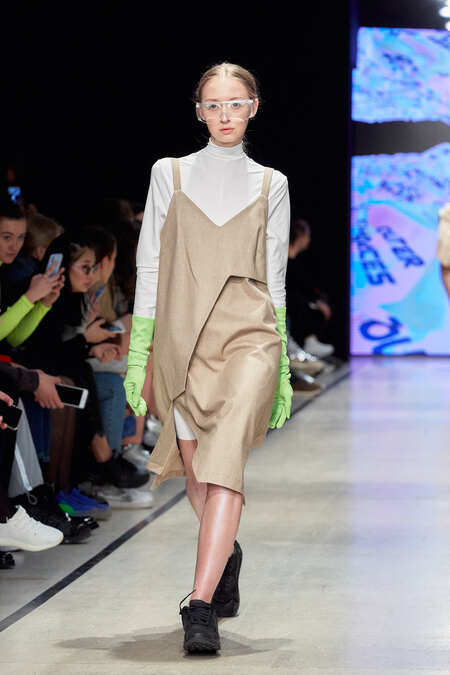
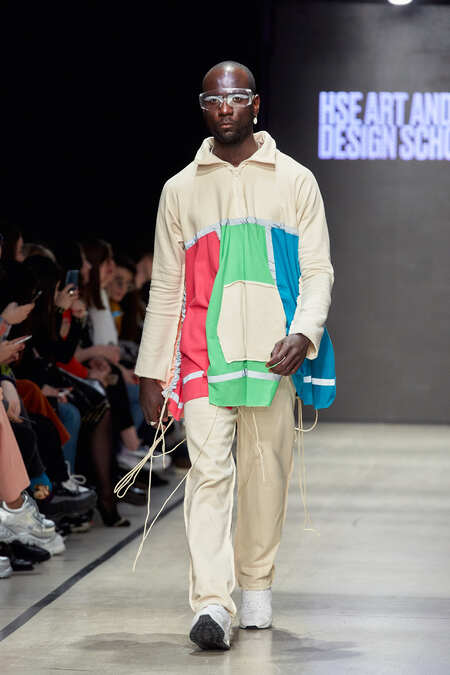
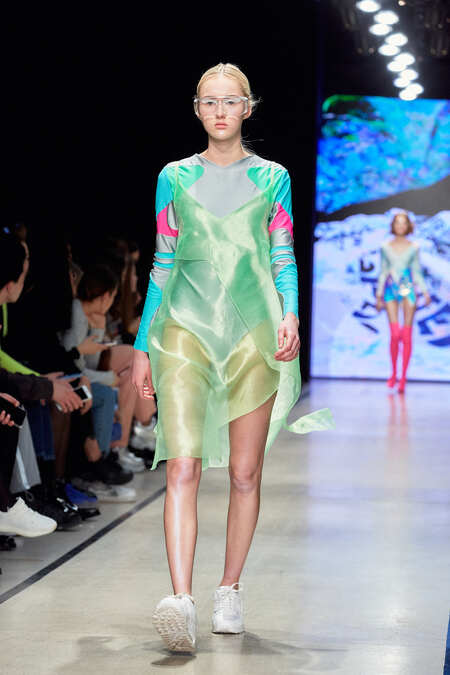
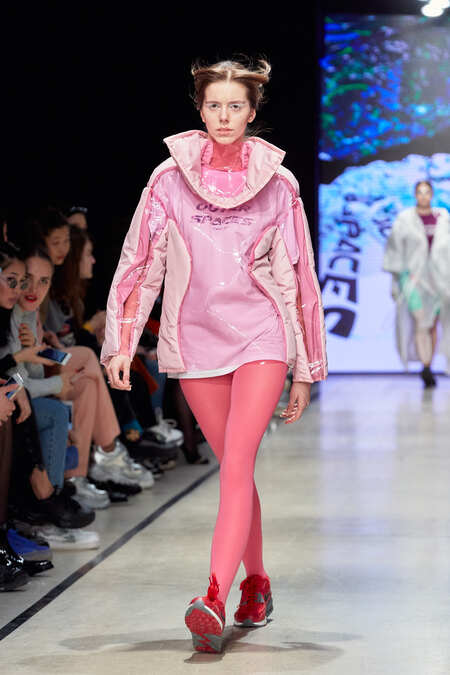
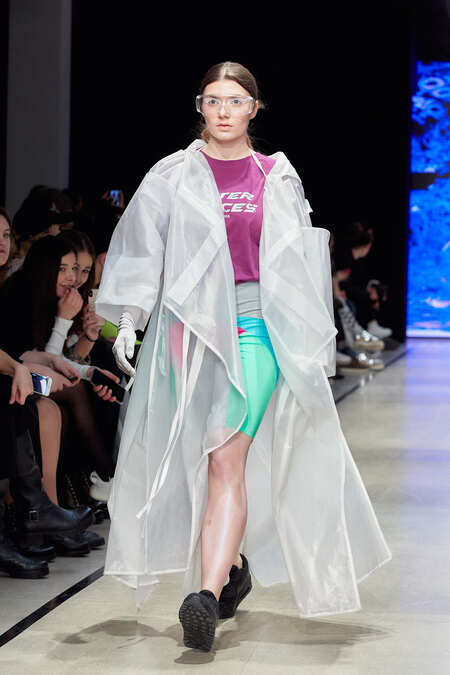
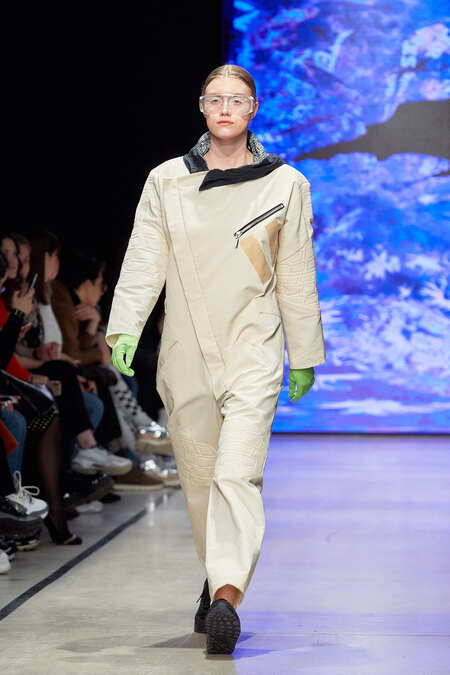
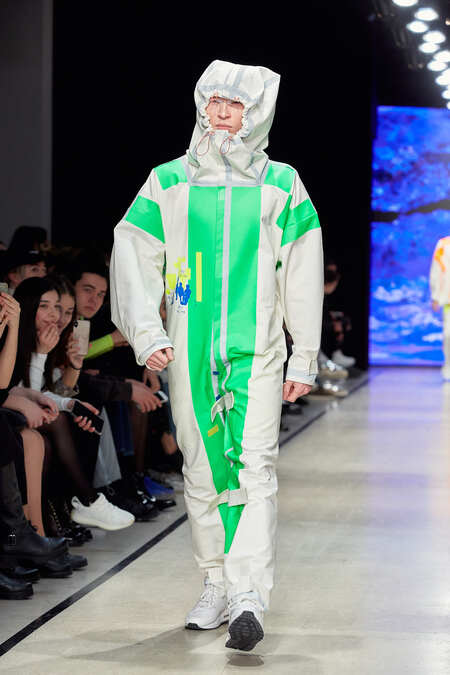
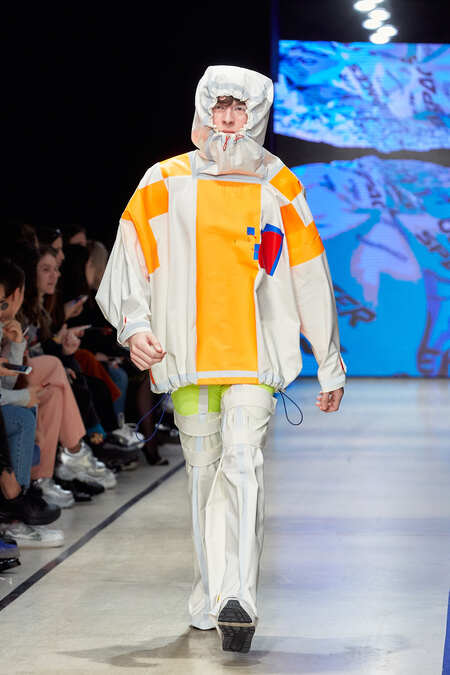
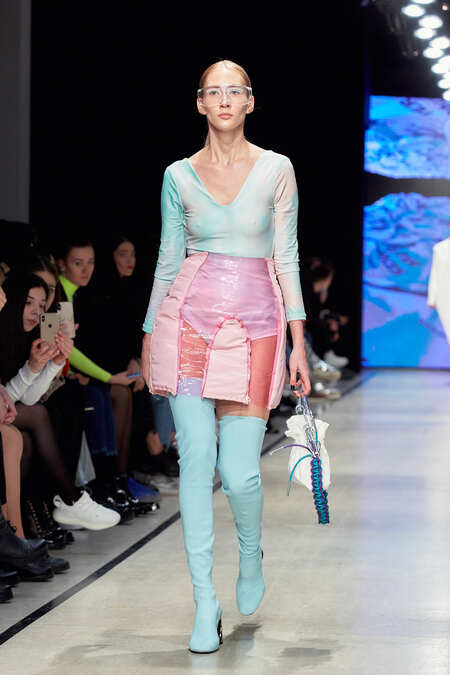
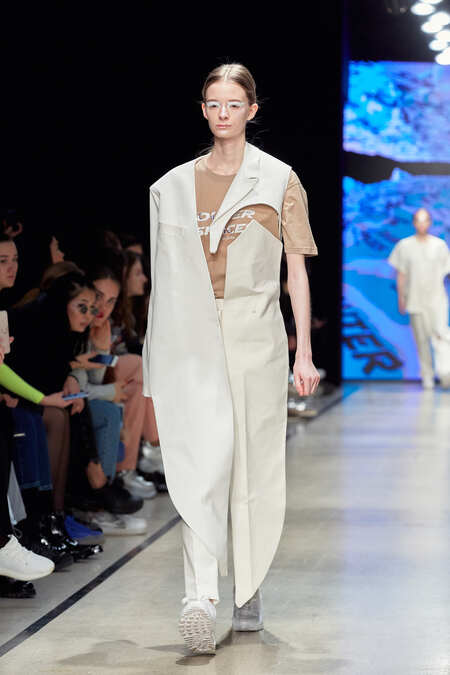
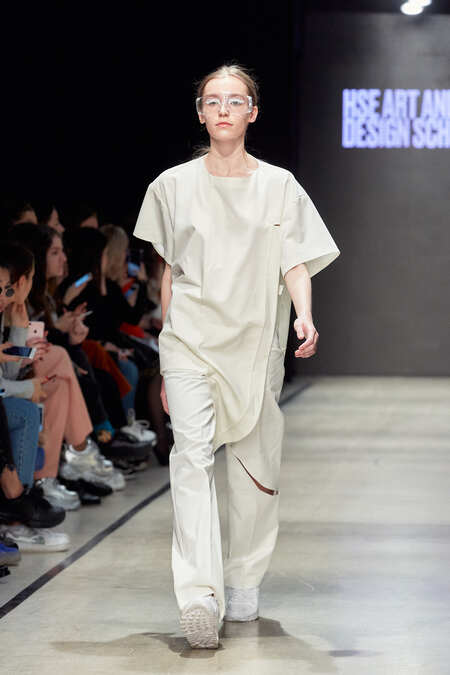
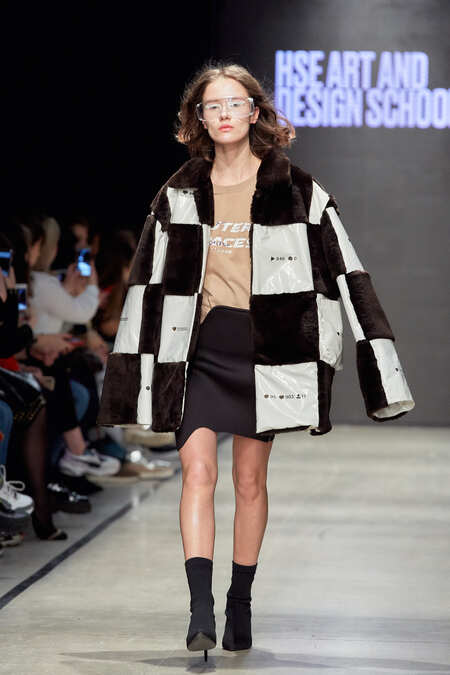
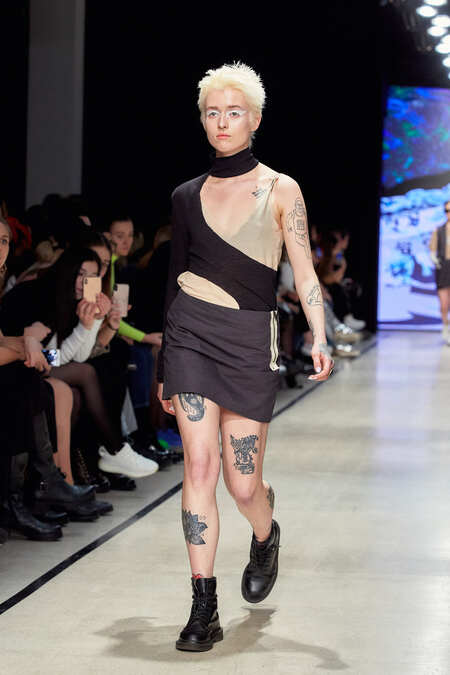
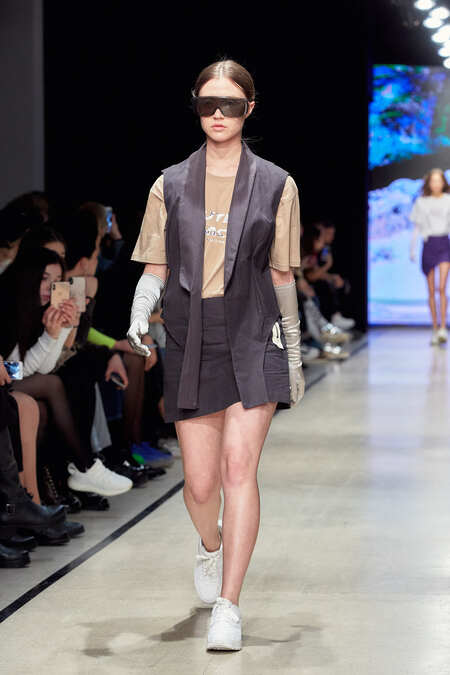
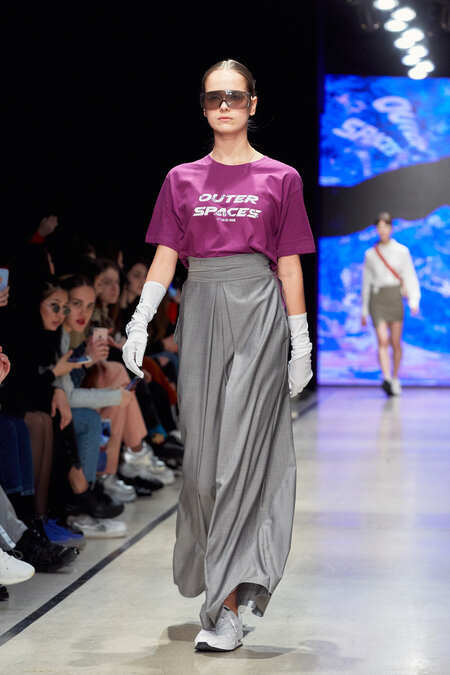
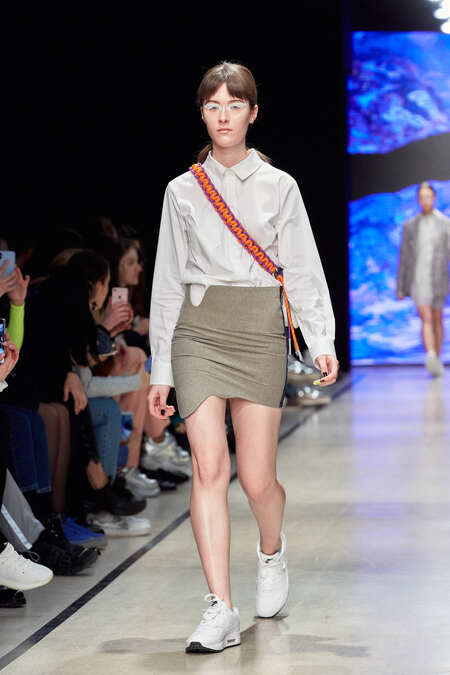
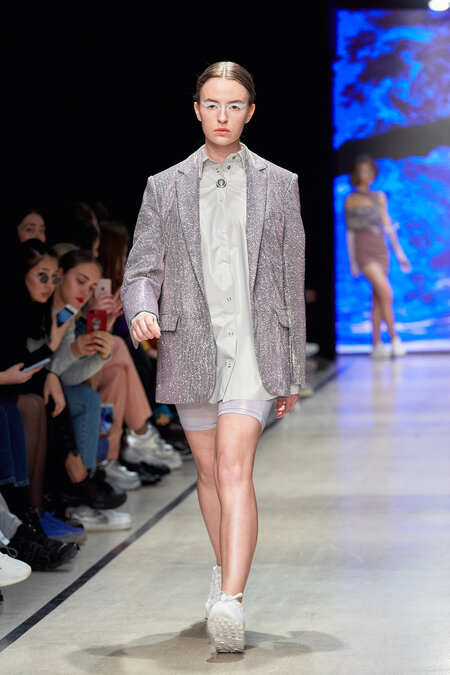
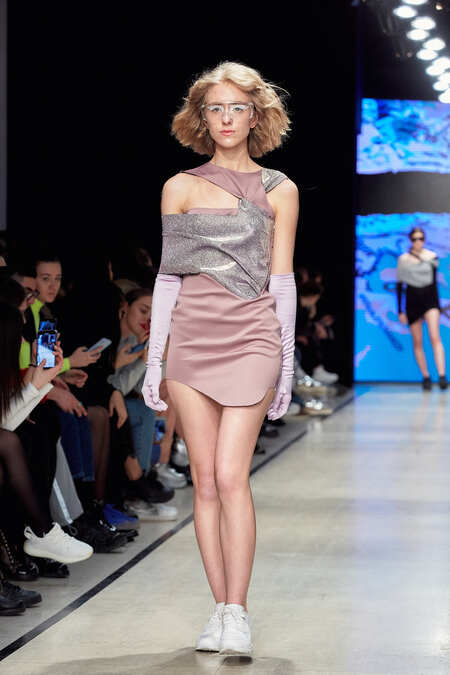
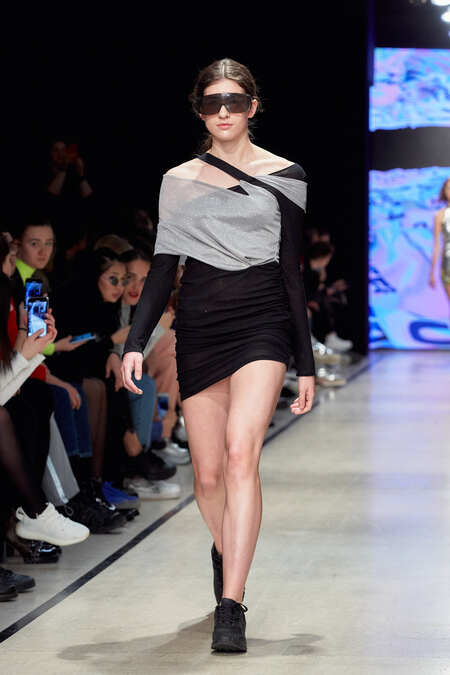
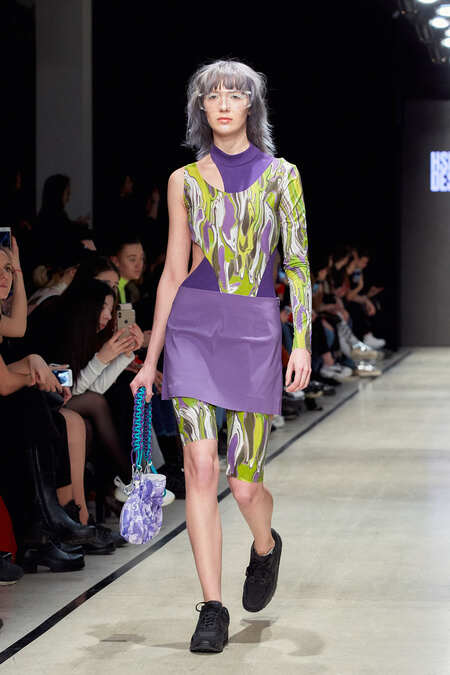
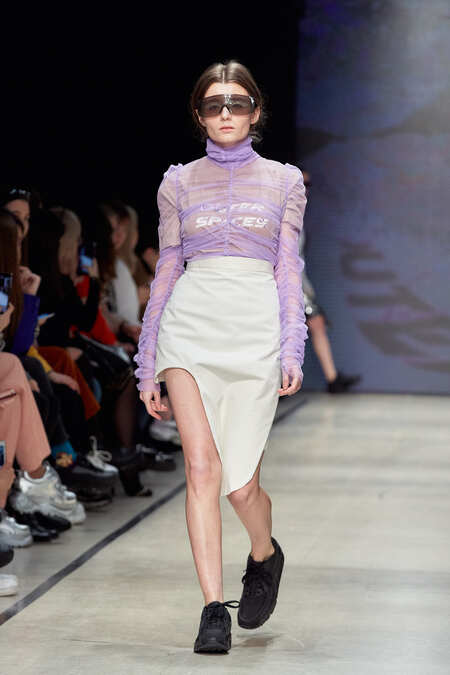
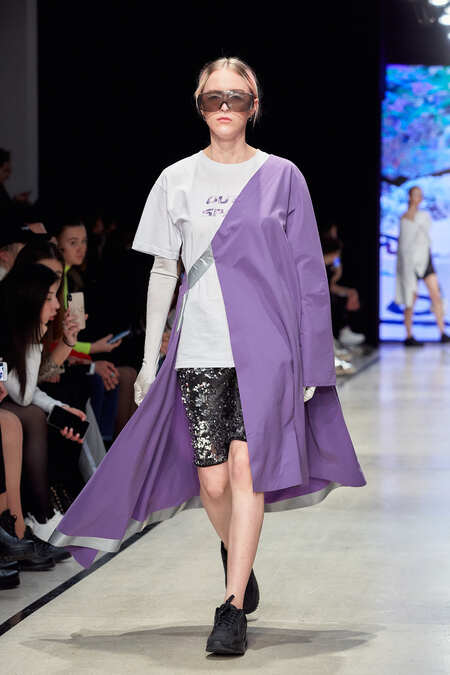
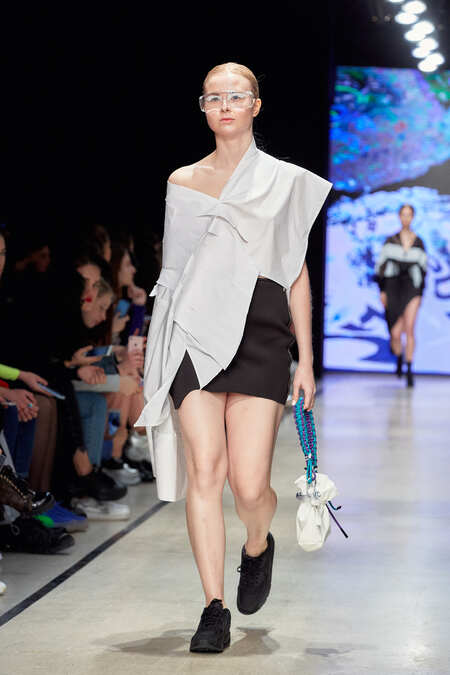
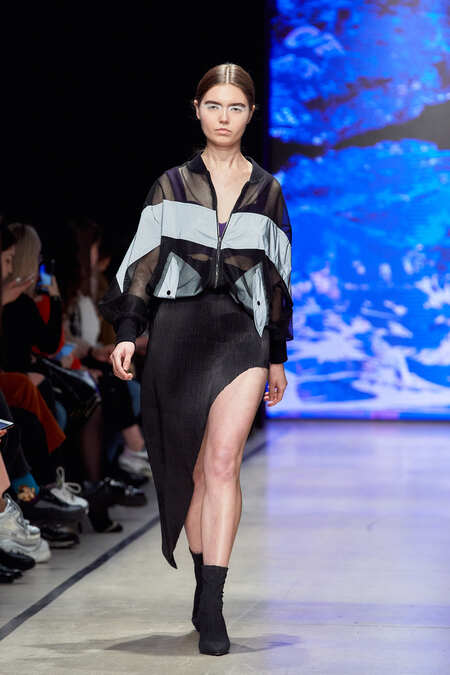
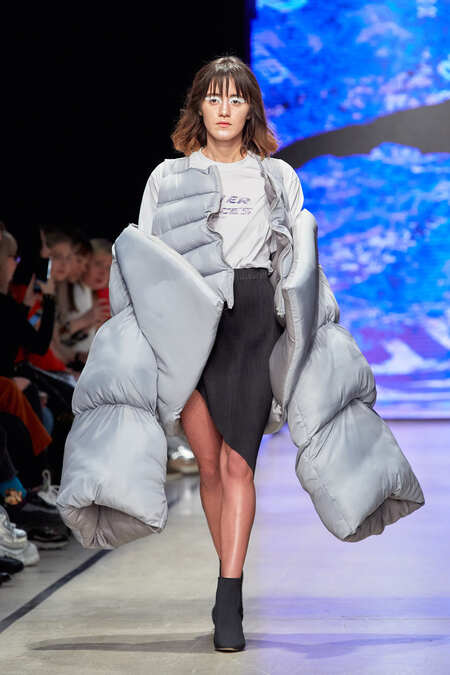
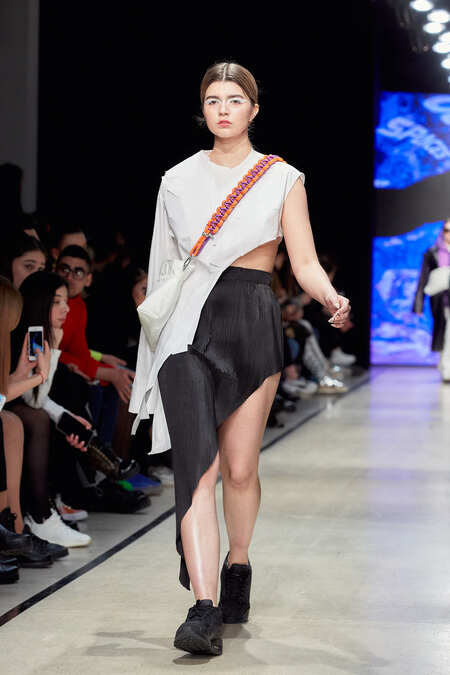
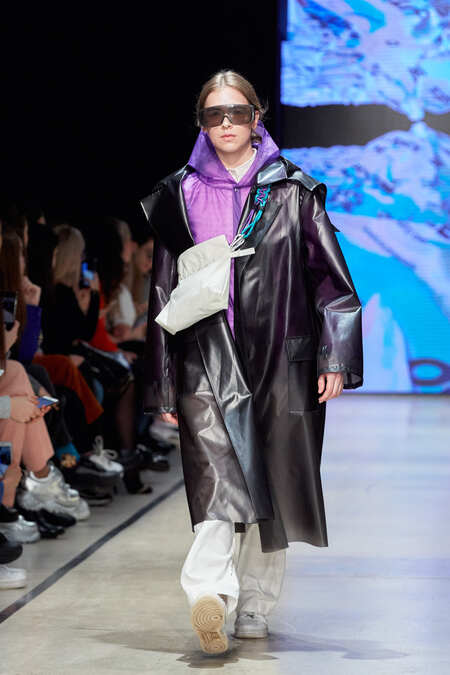
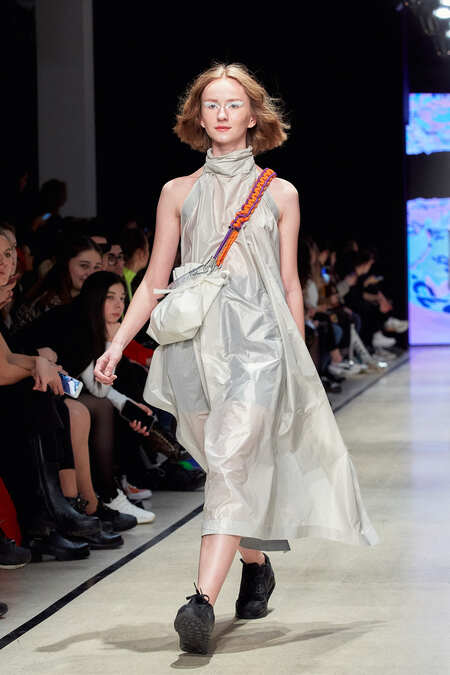
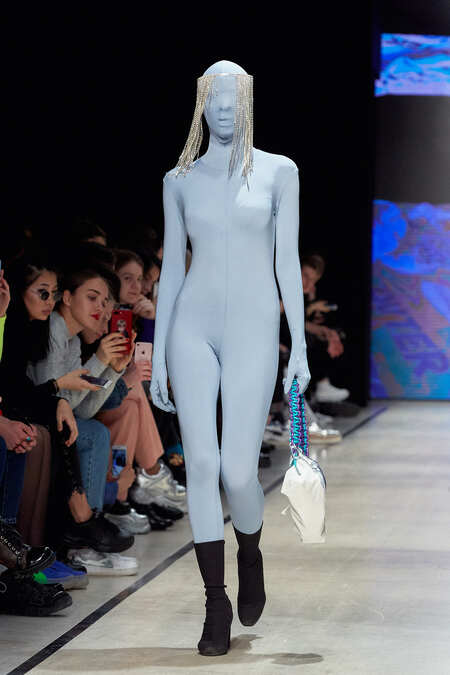
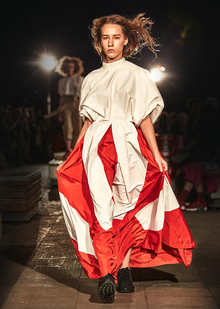
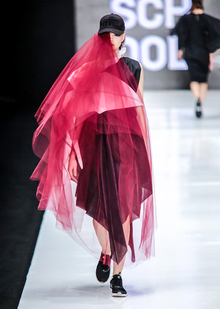
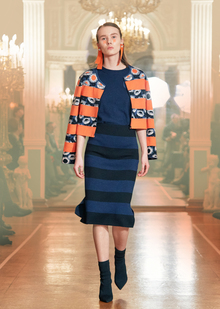
Школа дизайна НИУ ВШЭ — постоянный участник Mercedes-Benz Fashion Week Russia, выступающая на неделе моды под коллективным брендом HARD. Это уникальная традиция Школы дизайна НИУ ВШЭ: студенты, еще на втором или третьем году обучения показывают свои работы на профессиональной неделе моды наравне с известными и существующими много лет марками. HARD работает как творческая лаборатория, которая каждый год формируется заново для создания новой коллекции.
Весной 2019-го года на Mercedes-Benz Fashion Week представлена уже шестая совместная коллекция студентов HARD 006: Outer Spaces. Иные измерения, путешествие в глубины космоса и сознания, новые формы и расширенная реальность, мир, каким его видит человек, упавшего на Землю: коллекция HARD 005 — это футуристические мотивы глазами двадцатилетних, стиль как поиск и полет воображения.
HARD 006: Outer Spaces. Показ Mercedes-Benz Fashion Week Russia 03.04.2019
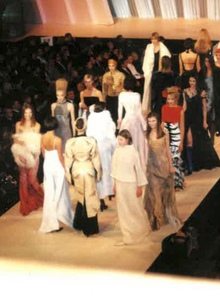
HSE Fashion представила коллекцию HARD 006: Outer Spaces на Mercedes-Benz Fashion Week Russia 3 апреля 2019 года. Проект включает в себя коллекцию, вдохновлённую космосом и расширенной реальностью, созданную студентами Школы дизайна НИУ ВШЭ.
HSE Fashion представил показ модной коллекции, вдохновлённой субкультурами, в парке Горького 13 сентября 2018 года. Проект включал исследование молодежных движений, таких как панки, скейтеры, руферы и вичхаус, с акцентом на их стиль и идеологию.
Студенты Школы дизайна НИУ ВШЭ представили свою первую коллекцию на Mercedes-Benz Fashion Week Russia 21 марта 2016 года. Проект HARD 001 включал работы девяти дизайнеров, созданные специально для профессиональной недели моды и показанные под кураторством Екатерины Сычевой.
Студенты Школы дизайна НИУ ВШЭ провели показ скандинавских дизайнеров в посольстве Норвегии 15 апреля 2019 года. Показ прошёл в рамках конференции «Мода северных стран: между локальным и глобальным».
Интервью с Викторией Андреяновой рассказывает о её карьере в моде с начала 1990-х, от работы в Центре моды России до создания собственного бренда. Проект включает в себя архивные материалы, фотографии и тексты, отражающие развитие российской моды и личный путь дизайнера.
dafes
DAFES — платформа, объединяющая лучшие проекты и продукты экосистемы по направлениям design, art, fashion, education и startup. Внутри неё действует сообщество Deziiign, которое объединяет дизайнеров, художников, иллюстраторов и фотографов — профессионалов всех творческих направлений. Это пространство для демонстрации работ, обмена идеями и неординарными подходами, а также встреч с потенциальными заказчиками, исполнителями и па... Показать больше
Мы используем файлы cookies для улучшения работы сайта и большего удобства его использования. Более подробную информац...
Показать больше
Press space bar to start a drag.
When dragging you can use the arrow keys to move the item around and escape to cancel.
Some screen readers may require you to be in focus mode or to use your pass through key
Press space bar to start a drag.
When dragging you can use the arrow keys to move the item around and escape to cancel.
Some screen readers may require you to be in focus mode or to use your pass through key
Press space bar to start a drag.
When dragging you can use the arrow keys to move the item around and escape to cancel.
Some screen readers may require you to be in focus mode or to use your pass through key
Press space bar to start a drag.
When dragging you can use the arrow keys to move the item around and escape to cancel.
Some screen readers may require you to be in focus mode or to use your pass through key
Press space bar to start a drag.
When dragging you can use the arrow keys to move the item around and escape to cancel.
Some screen readers may require you to be in focus mode or to use your pass through key
Press space bar to start a drag.
When dragging you can use the arrow keys to move the item around and escape to cancel.
Some screen readers may require you to be in focus mode or to use your pass through key
Press space bar to start a drag.
When dragging you can use the arrow keys to move the item around and escape to cancel.
Some screen readers may require you to be in focus mode or to use your pass through key
Press space bar to start a drag.
When dragging you can use the arrow keys to move the item around and escape to cancel.
Some screen readers may require you to be in focus mode or to use your pass through key
Press space bar to start a drag.
When dragging you can use the arrow keys to move the item around and escape to cancel.
Some screen readers may require you to be in focus mode or to use your pass through key
Press space bar to start a drag.
When dragging you can use the arrow keys to move the item around and escape to cancel.
Some screen readers may require you to be in focus mode or to use your pass through key
Press space bar to start a drag.
When dragging you can use the arrow keys to move the item around and escape to cancel.
Some screen readers may require you to be in focus mode or to use your pass through key
Press space bar to start a drag.
When dragging you can use the arrow keys to move the item around and escape to cancel.
Some screen readers may require you to be in focus mode or to use your pass through key
Press space bar to start a drag.
When dragging you can use the arrow keys to move the item around and escape to cancel.
Some screen readers may require you to be in focus mode or to use your pass through key
Press space bar to start a drag.
When dragging you can use the arrow keys to move the item around and escape to cancel.
Some screen readers may require you to be in focus mode or to use your pass through key
Press space bar to start a drag.
When dragging you can use the arrow keys to move the item around and escape to cancel.
Some screen readers may require you to be in focus mode or to use your pass through key
Press space bar to start a drag.
When dragging you can use the arrow keys to move the item around and escape to cancel.
Some screen readers may require you to be in focus mode or to use your pass through key
Press space bar to start a drag.
When dragging you can use the arrow keys to move the item around and escape to cancel.
Some screen readers may require you to be in focus mode or to use your pass through key
Press space bar to start a drag.
When dragging you can use the arrow keys to move the item around and escape to cancel.
Some screen readers may require you to be in focus mode or to use your pass through key
Press space bar to start a drag.
When dragging you can use the arrow keys to move the item around and escape to cancel.
Some screen readers may require you to be in focus mode or to use your pass through key
Press space bar to start a drag.
When dragging you can use the arrow keys to move the item around and escape to cancel.
Some screen readers may require you to be in focus mode or to use your pass through key
Press space bar to start a drag.
When dragging you can use the arrow keys to move the item around and escape to cancel.
Some screen readers may require you to be in focus mode or to use your pass through key
Press space bar to start a drag.
When dragging you can use the arrow keys to move the item around and escape to cancel.
Some screen readers may require you to be in focus mode or to use your pass through key
Press space bar to start a drag.
When dragging you can use the arrow keys to move the item around and escape to cancel.
Some screen readers may require you to be in focus mode or to use your pass through key
Press space bar to start a drag.
When dragging you can use the arrow keys to move the item around and escape to cancel.
Some screen readers may require you to be in focus mode or to use your pass through key
Press space bar to start a drag.
When dragging you can use the arrow keys to move the item around and escape to cancel.
Some screen readers may require you to be in focus mode or to use your pass through key
Press space bar to start a drag.
When dragging you can use the arrow keys to move the item around and escape to cancel.
Some screen readers may require you to be in focus mode or to use your pass through key