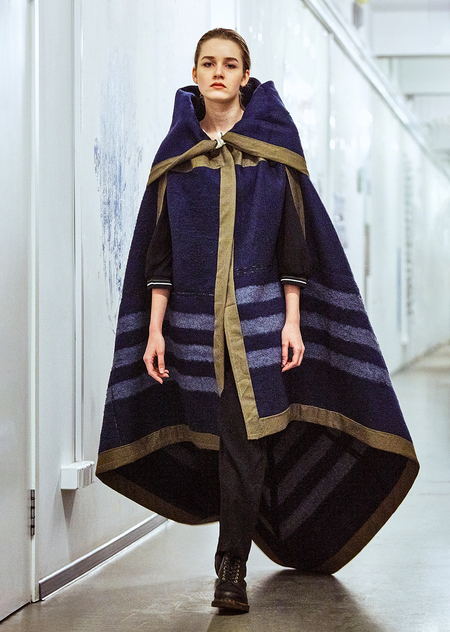
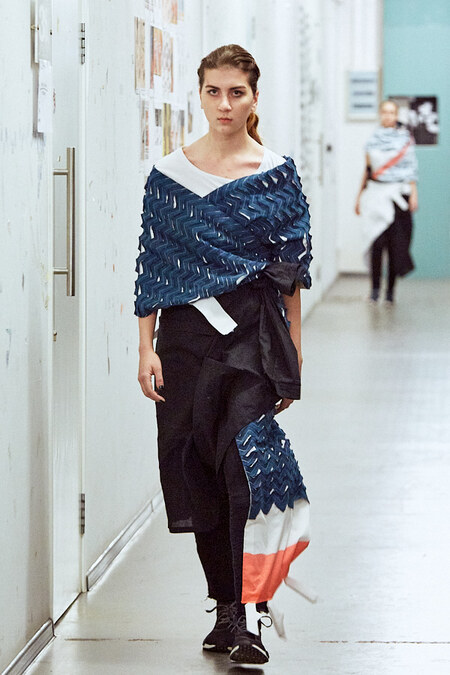
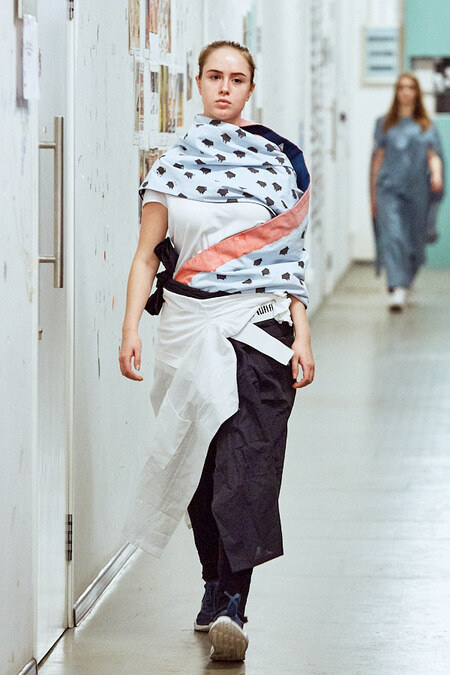
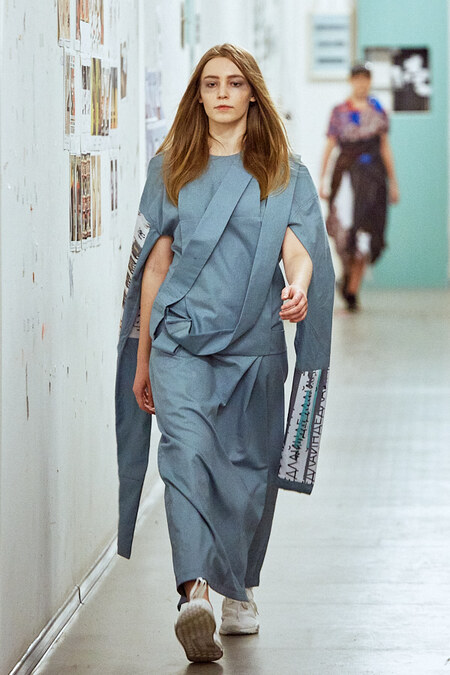
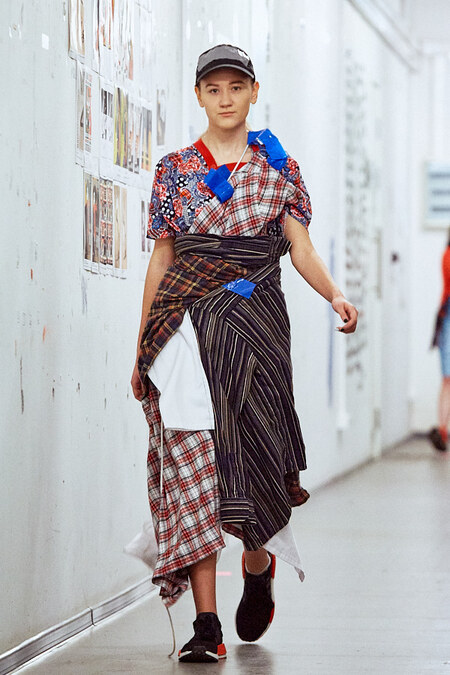
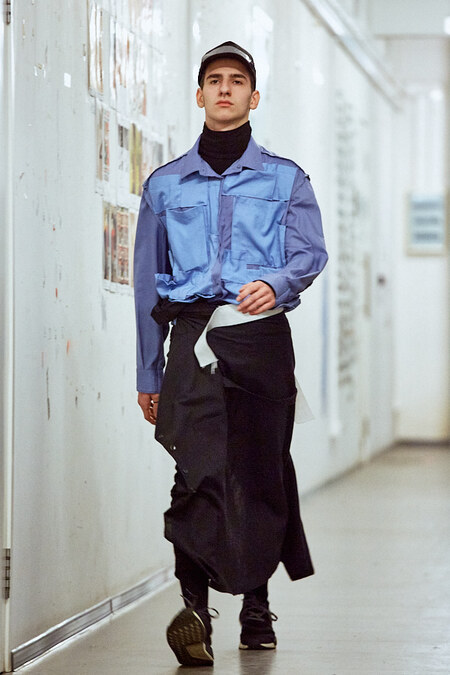
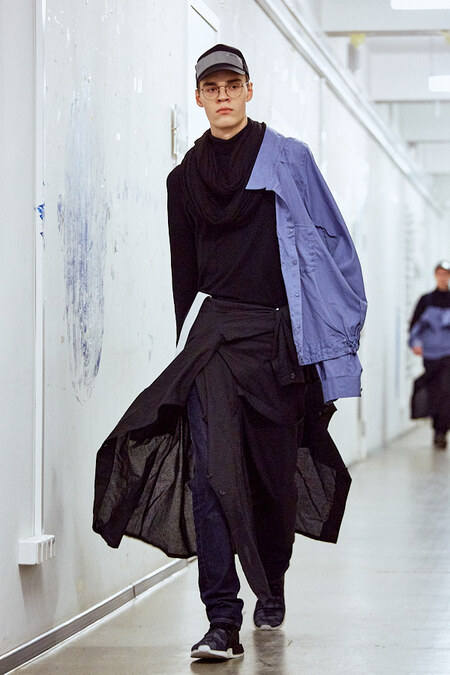
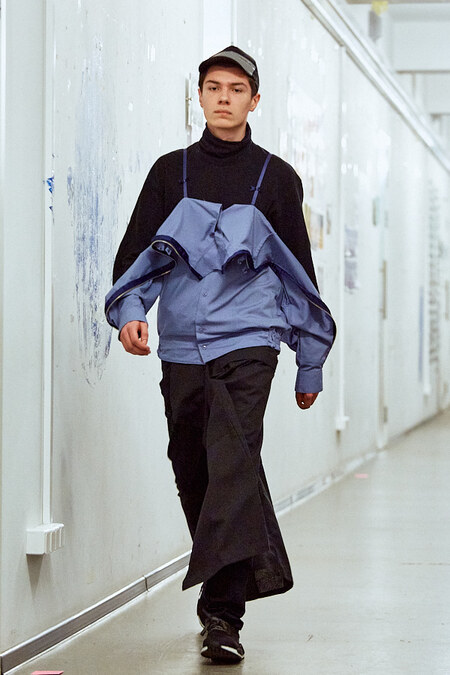
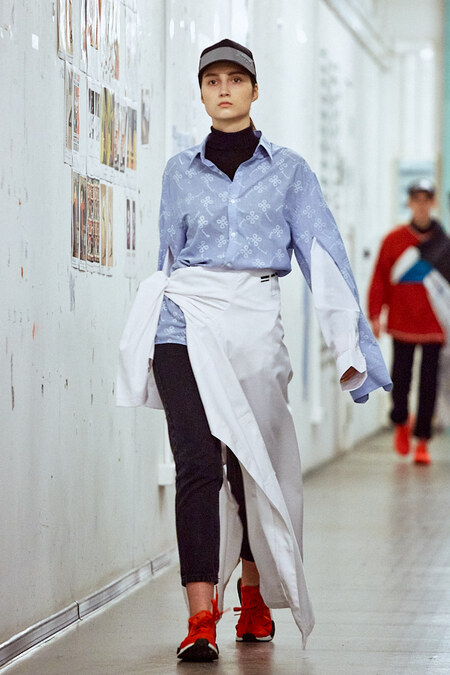
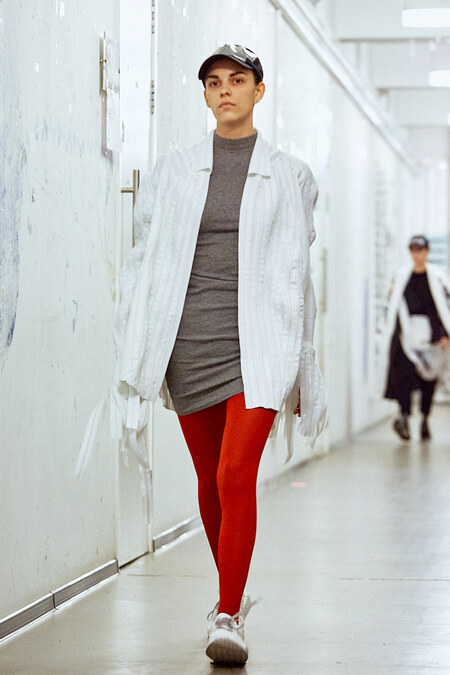
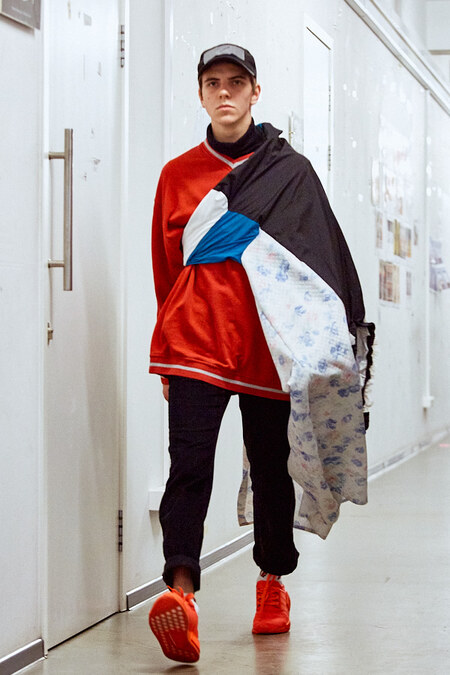
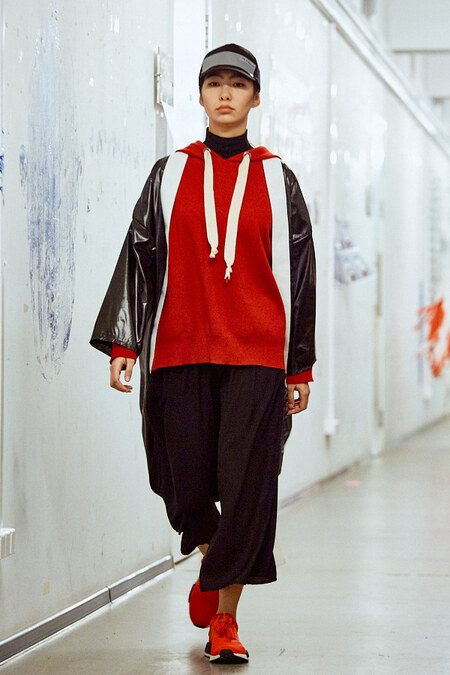
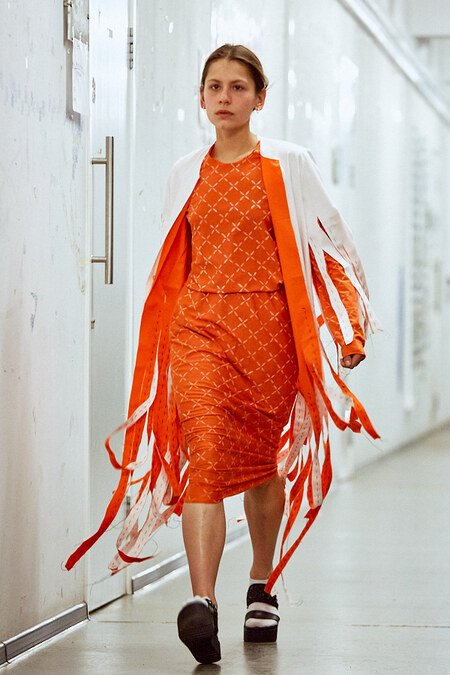
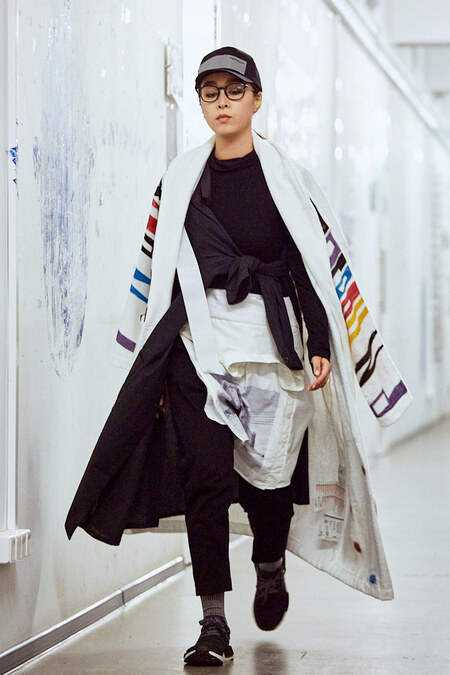
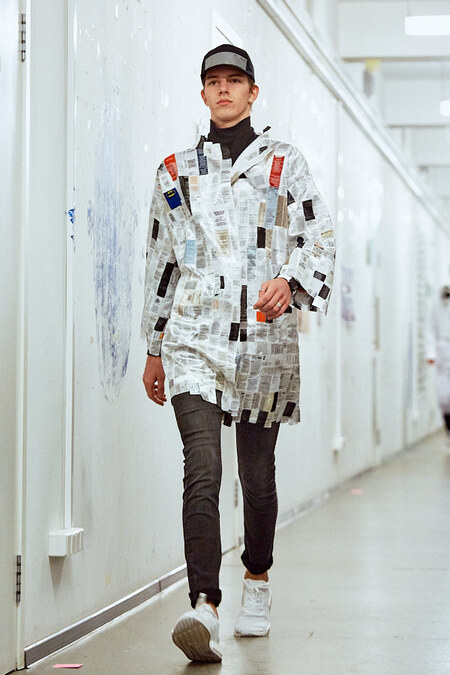
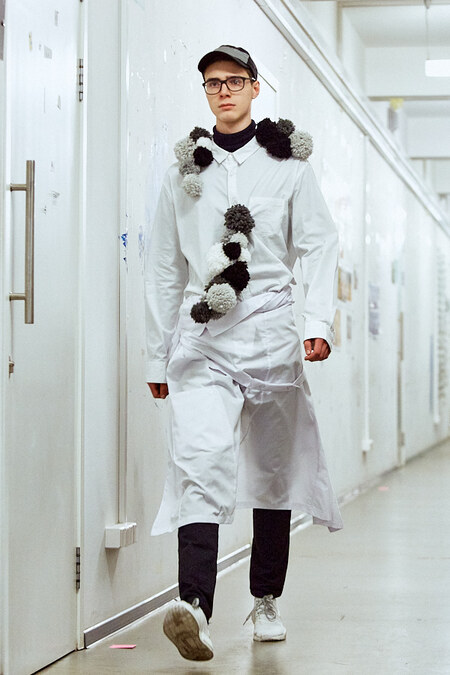
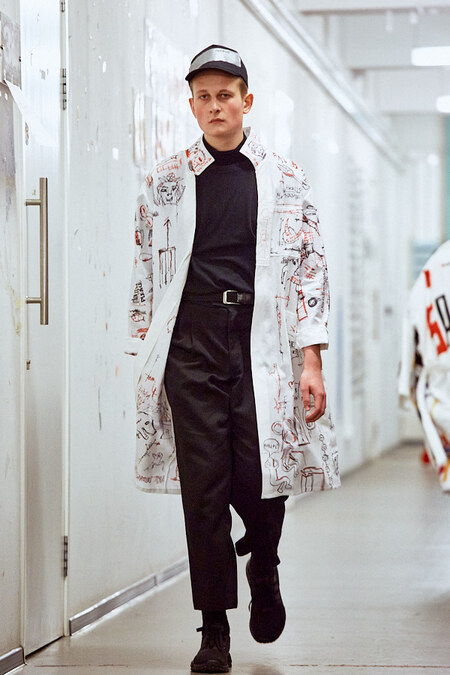
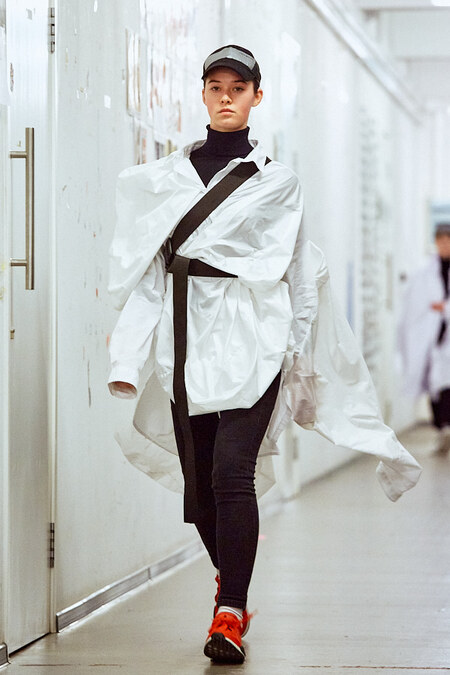
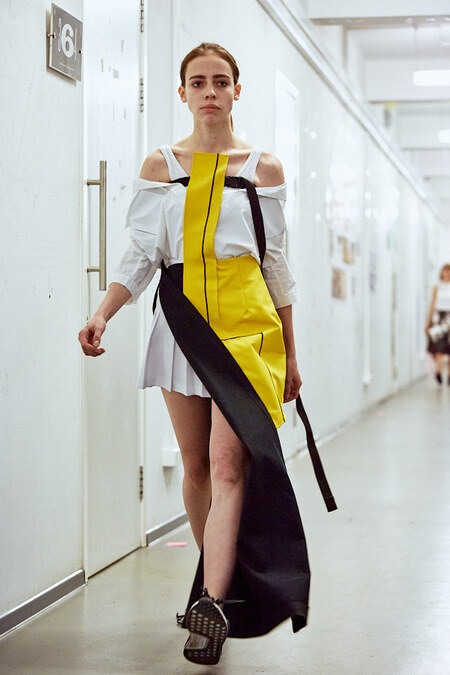
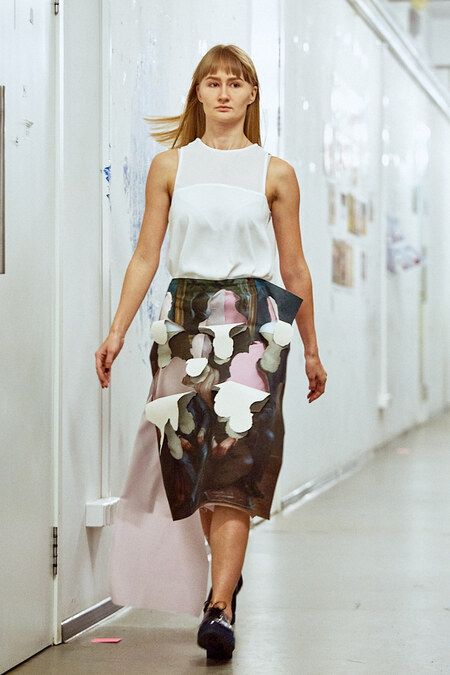
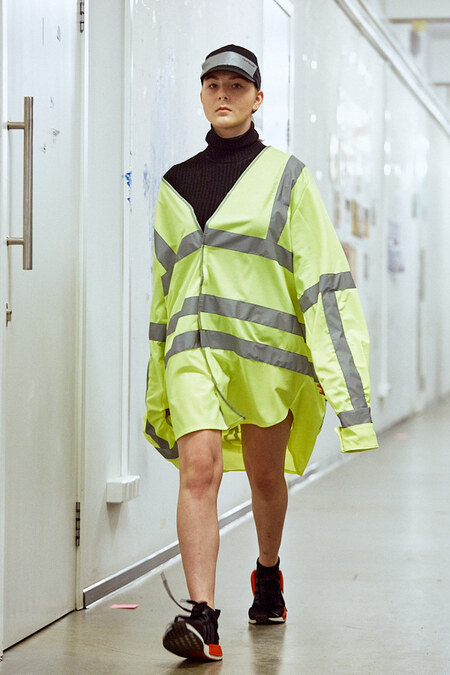
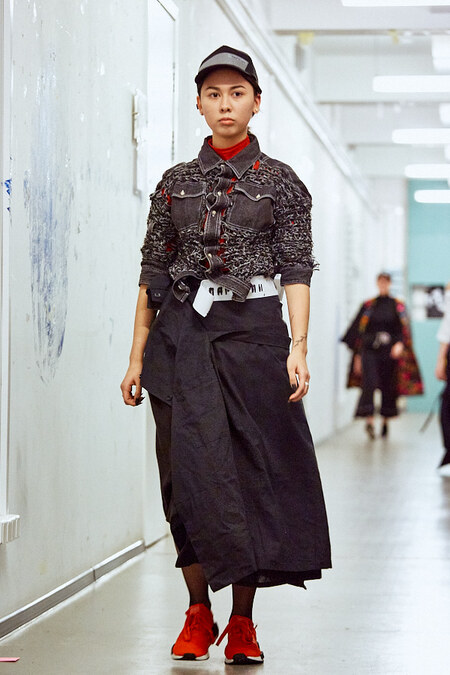
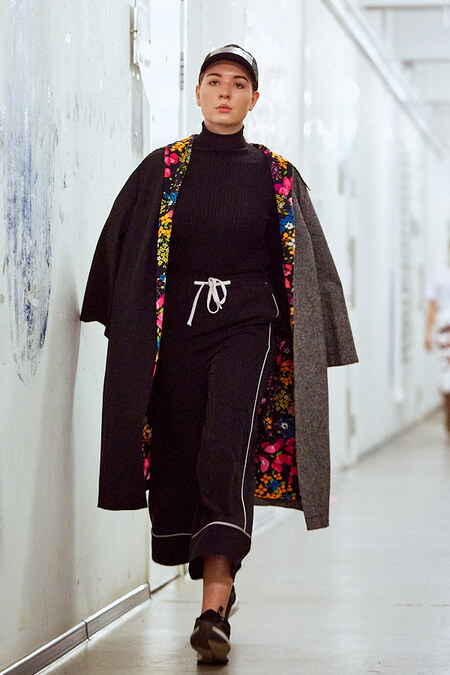
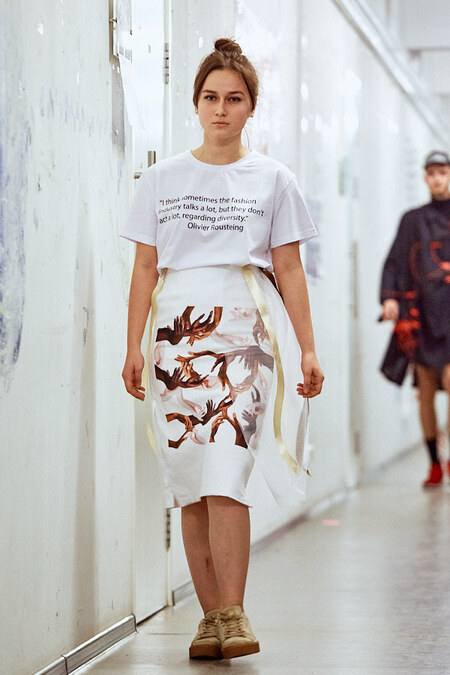
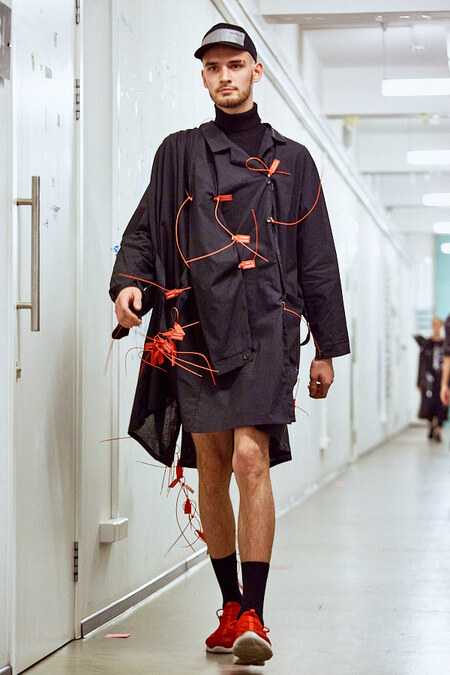
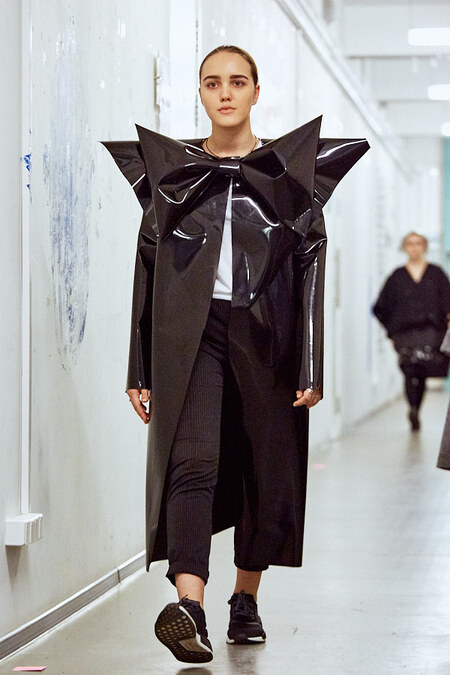
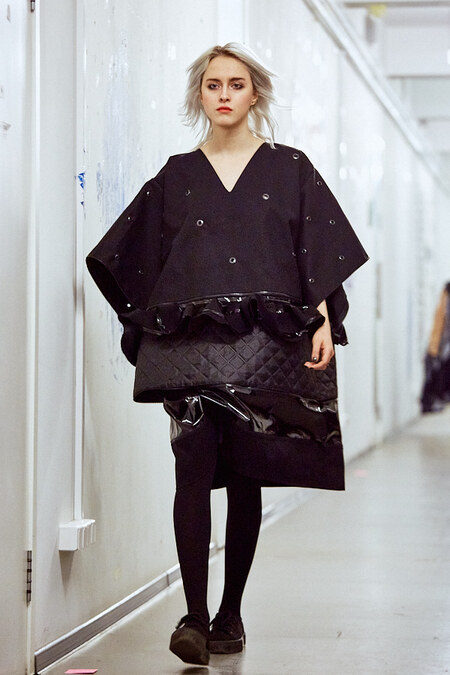
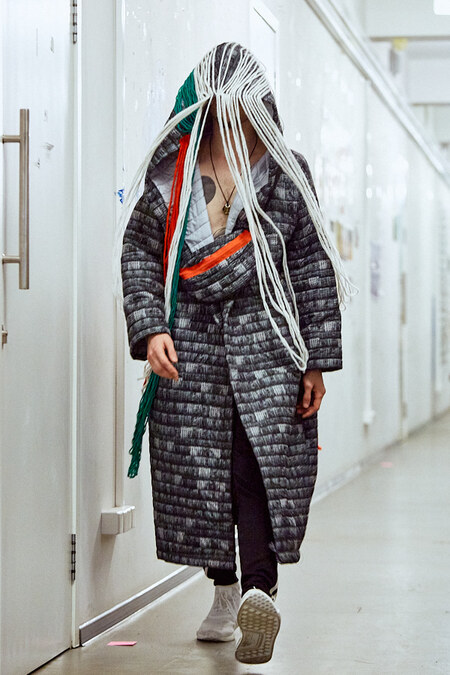
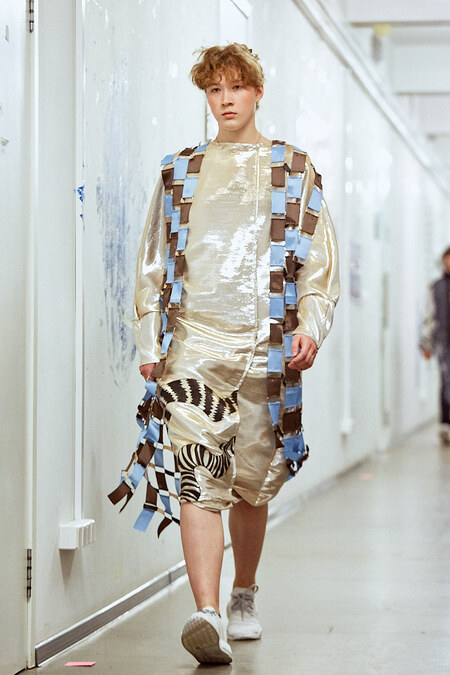
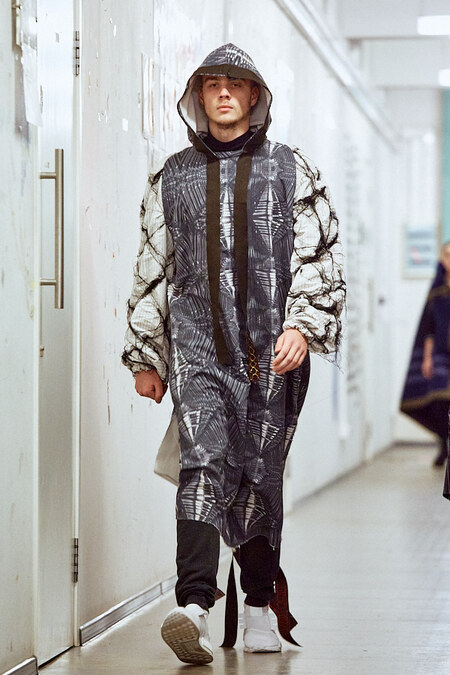
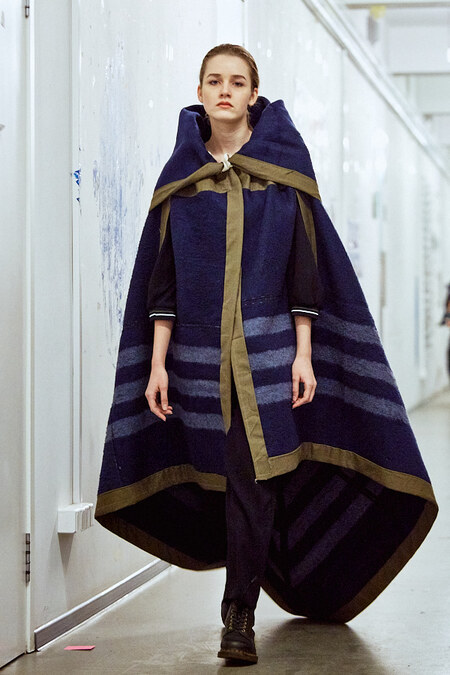
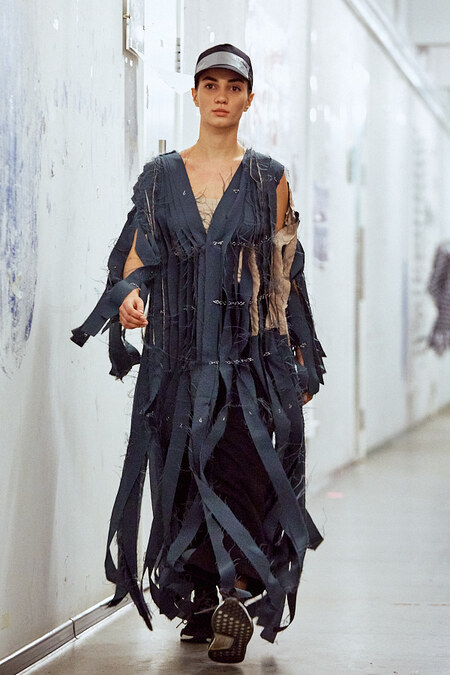
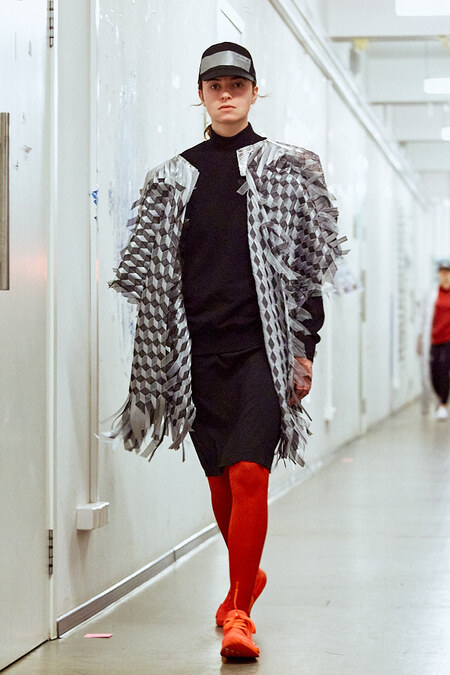
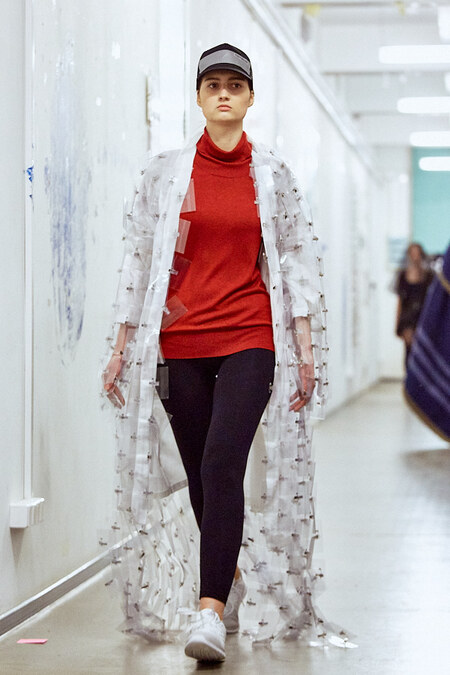
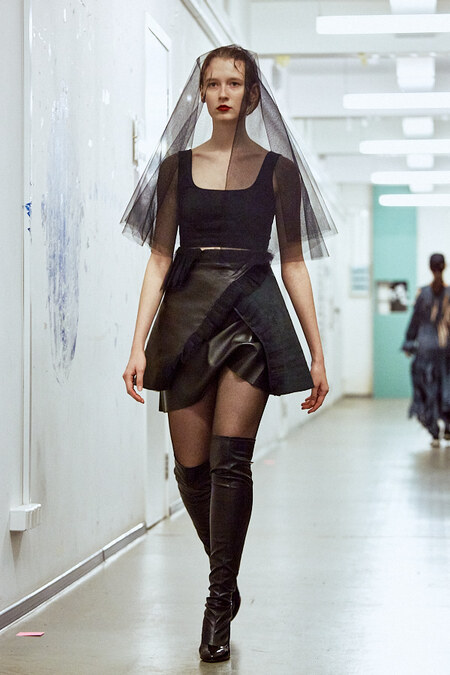
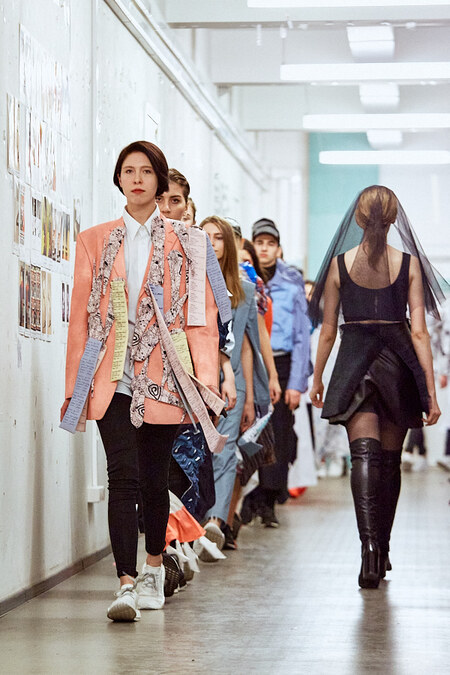
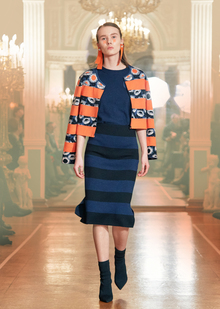
Студенты Школы дизайна НИУ ВШЭ знают, что один из ее ключевых принципов — студент становится дизайнером не когда получает диплом, а с первого дня первого курса. Одно из ярких воплощений этого подхода — показы студентов первого курса профиля «Дизайн одежды», которые традиционно проходят в декабрьский День открытых дверей накануне Нового года.
Студенты показывают свои работы по итогам первого модуля обучения, посвященного освоению принципов концептуального дизайна и работе с источниками. Работы отталкиваются от темы «геолокации» — разработки дизайна на основе изучения природных, социальных и культурных особенностей конкретной локации.
ПЕРВАЯ КОЛЛЕКЦИЯ: показ студентов первого курса Школы дизайна. Декабрь 2017
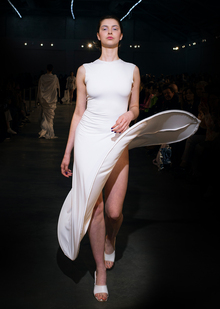
HSE Fashion представила первую коллекцию студентов первого курса Школы дизайна НИУ ВШЭ в декабре 2017 года. Проект включал показ работ, созданных на основе темы «геолокации» и посвящённых изучению природных, социальных и культурных особенностей локаций.
HSE Fashion представила показ коллекции HARD 012. Сохрани мою вещь навсегда на Винзаводе 24 апреля 2024 года. Коллекция исследует тему памяти и архива, предлагая сохранить в «капсулу времени» элементы, которые дизайнеры считают достойными будущего исследования.
Елена Ермаковишна создала выставку-исследование "Мода, которой нет", посвящённую истории моды Южного Урала за последние 30 лет. Проект включал экспозицию с архивными материалами, эскизами и документами, а также образовательные лекции и экскурсии по городу.
Студенты Школы дизайна НИУ ВШЭ провели показ скандинавских дизайнеров в посольстве Норвегии 15 апреля 2019 года. Показ прошёл в рамках конференции «Мода северных стран: между локальным и глобальным».
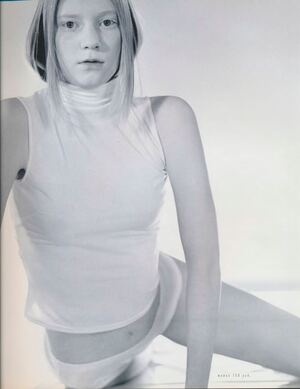
Hse Fashion Archive изучил материалы журнала «Птюч» о моде начала 2000-х и описал эволюцию российской модной сцены. Проект включает интервью с дизайнерами, критику индустрии и отчёт о событиях, таких как фестивали и недели моды в Москве и Тбилиси.
dafes
DAFES — платформа, объединяющая лучшие проекты и продукты экосистемы по направлениям design, art, fashion, education и startup. Внутри неё действует сообщество Deziiign, которое объединяет дизайнеров, художников, иллюстраторов и фотографов — профессионалов всех творческих направлений. Это пространство для демонстрации работ, обмена идеями и неординарными подходами, а также встреч с потенциальными заказчиками, исполнителями и партнёрами. На платформе Deziiign уже опубликовано почти 60 000 проектов от начинающих специалистов и признанных мастеров.
Наши эксперты оценивают проекты сообщества Deziiign — здесь вы видите актуальные итоги этой экспертизы. Перед вами — галерея самых интересных работ, получивших высокие оценки экспертного совета DAFES.
design
art
fashion
education
startups
Показать еще
Мы используем файлы cookies для улучшения работы сайта и большего удобства его использования. Более подробную информац...
Показать больше
Press space bar to start a drag.
When dragging you can use the arrow keys to move the item around and escape to cancel.
Some screen readers may require you to be in focus mode or to use your pass through key
Press space bar to start a drag.
When dragging you can use the arrow keys to move the item around and escape to cancel.
Some screen readers may require you to be in focus mode or to use your pass through key
Press space bar to start a drag.
When dragging you can use the arrow keys to move the item around and escape to cancel.
Some screen readers may require you to be in focus mode or to use your pass through key
Press space bar to start a drag.
When dragging you can use the arrow keys to move the item around and escape to cancel.
Some screen readers may require you to be in focus mode or to use your pass through key
Press space bar to start a drag.
When dragging you can use the arrow keys to move the item around and escape to cancel.
Some screen readers may require you to be in focus mode or to use your pass through key
Press space bar to start a drag.
When dragging you can use the arrow keys to move the item around and escape to cancel.
Some screen readers may require you to be in focus mode or to use your pass through key
Press space bar to start a drag.
When dragging you can use the arrow keys to move the item around and escape to cancel.
Some screen readers may require you to be in focus mode or to use your pass through key
Press space bar to start a drag.
When dragging you can use the arrow keys to move the item around and escape to cancel.
Some screen readers may require you to be in focus mode or to use your pass through key
Press space bar to start a drag.
When dragging you can use the arrow keys to move the item around and escape to cancel.
Some screen readers may require you to be in focus mode or to use your pass through key
Press space bar to start a drag.
When dragging you can use the arrow keys to move the item around and escape to cancel.
Some screen readers may require you to be in focus mode or to use your pass through key
Press space bar to start a drag.
When dragging you can use the arrow keys to move the item around and escape to cancel.
Some screen readers may require you to be in focus mode or to use your pass through key
Press space bar to start a drag.
When dragging you can use the arrow keys to move the item around and escape to cancel.
Some screen readers may require you to be in focus mode or to use your pass through key
Press space bar to start a drag.
When dragging you can use the arrow keys to move the item around and escape to cancel.
Some screen readers may require you to be in focus mode or to use your pass through key
Press space bar to start a drag.
When dragging you can use the arrow keys to move the item around and escape to cancel.
Some screen readers may require you to be in focus mode or to use your pass through key
Press space bar to start a drag.
When dragging you can use the arrow keys to move the item around and escape to cancel.
Some screen readers may require you to be in focus mode or to use your pass through key
Press space bar to start a drag.
When dragging you can use the arrow keys to move the item around and escape to cancel.
Some screen readers may require you to be in focus mode or to use your pass through key
Press space bar to start a drag.
When dragging you can use the arrow keys to move the item around and escape to cancel.
Some screen readers may require you to be in focus mode or to use your pass through key
Press space bar to start a drag.
When dragging you can use the arrow keys to move the item around and escape to cancel.
Some screen readers may require you to be in focus mode or to use your pass through key
Press space bar to start a drag.
When dragging you can use the arrow keys to move the item around and escape to cancel.
Some screen readers may require you to be in focus mode or to use your pass through key