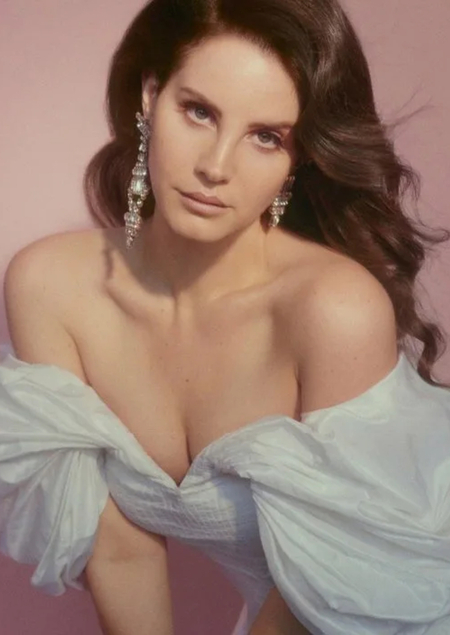
Концепция
Лана Дель Рей — американская певица, автор песен и модель. Она начала свою карьеру в конце 2000-х, взорвав чарты с дебютным альбомом Born to Die в 2012 году, где смешала гламурный поп с элементами трип-хопа, дрим-попа и блюза. Её музыкальный стиль уникален: меланхоличные, кинематографичные мелодии с лирикой о любви, ностальгии, голливудских мечтах и тёмной романтике, часто с отсылками к американской культуре 1950–60-х, барокко-попом и альтернативным R&B. В 2024 году, спустя более 12 лет карьеры, она укрепила статус иконы, выпустив альбом Did You Know That There’s a Tunnel Under Ocean Blvd, который получил восторженные отзывы и новые хиты. Она также успешно провела несколько мировых туров, собирая стадионы. В связи с многолетней популярностью певицы, я решила провести анализ её дискографии: прослушивания треков, годы выпуска и альбомы с наибольшим количеством хитов в датасете.

Цветовая палитра

Цвета отсылают к обложке одного из самых популярных альбомов певицы — BORN TO DIE
1. Круговая диаграмма
import pandas as pd import matplotlib.pyplot as plt import difflib fn = «ldr_discography_released.csv» df = pd.read_csv (fn, encoding='utf-8', dtype=str) candidates = ['album', 'album_title', 'album name', 'album_name', 'Album', 'Album Title', 'Album_Name', 'release', 'album_title'] def normalize (name): return name.lower ().replace (' ', '').replace ('_', '').replace ('-', '') cols = df.columns.tolist () for cand in candidates: if cand in cols: album_col = cand break else: norm_map = {normalize©: c for c in cols} found = None for cand in candidates: nc = normalize (cand) if nc in norm_map: found = norm_map[nc] break if found: album_col = found else: names = cols close = difflib.get_close_matches («album», names, n=1, cutoff=0.6) close2 = difflib.get_close_matches («albumtitle», names, n=1, cutoff=0.6) if close: album_col = close[0] elif close2: album_col = close2[0] else: raise ValueError (f"Не найдена колонка с альбомами. Доступные колонки: {cols}\n» «Если в вашем файле колонка называется по-другому — укажите её явно в переменной album_col.») print (f"Использую колонку: {album_col}») counts = df[album_col].dropna ().astype (str).str.strip ().replace ('', '').value_counts () total = counts.sum () counts = counts.sort_values (ascending=False) print («Треков по альбомам:») print (counts) plt.rcParams['font.family'] = 'DejaVu Sans' threshold_pct = 1.0 small = counts[counts / total * 100 < threshold_pct] if len (small) > 0: other = small.sum () counts = counts[counts / total * 100 ≥ threshold_pct] counts['Other'] = other pie_colors = ['
759CD9', '
F7C3CB', '#BC7157'] fig, ax = plt.subplots (figsize=(8, 8)) wedges, texts, autotexts = ax.pie ( counts, labels=counts.index, startangle=90, autopct=lambda pct: f"{pct:.1f}%\n ({int (round (pct * total / 100))} треков)», textprops={'fontsize': 10}, colors=pie_colors ) for text, autotext in zip (texts, autotexts): autotext.set_color ('black') text.set_fontsize (10) text.set_color ('black') ax.axis ('equal') plt.title ('Процентное соотношение песен по альбомам')2. Гистограмма
import plotly.graph_objects as go import plotly.io as pio top_n = 20 colors = ['
759CD9', '
F7C3CB', '#BC7157'] df_sorted = df.sort_values ('song_page_views', ascending=False).head (top_n).copy () def artists_to_str (a): if isinstance (a, (list, tuple)): return ', '.join (a) try: import ast val = ast.literal_eval (a) if isinstance (val, (list, tuple)): return ', '.join (val) except Exception: pass return str (a) df_sorted['artists_str'] = df_sorted['song_artists'].apply (artists_to_str) df_sorted['label'] = df_sorted['song_title'] + ' — ' + df_sorted['artists_str'] color_cycle = [colors[i % len (colors)] for i in range (len (df_sorted))] df_plot = df_sorted[: -1].reset_index (drop=True) color_cycle = color_cycle[: -1]fig = go.Figure (go.Bar (
x=df_plot['song_page_views'],
y=df_plot['label'],
orientation='h',
marker=dict (color=color_cycle),
hovertemplate='%{y}
Просмотры: %{x}'
))
fig.update_layout (
title=f’Top {top_n} треков по числу просмотров',
xaxis_title='Просмотры (song_page_views)',
yaxis_title='',
margin=dict (l=300, r=40, t=60, b=40),
height=40*top_n + 200
)
out_file = 'top_tracks_histogram.html'
fig.write_html (out_file, include_plotlyjs='cdn')
print ('Топ-10 треков по просмотрам: ')
print (df_sorted[['song_title', 'artists_str', 'song_page_views']].head (10).to_string (index=False))
print (f"\nИнтерактивный график сохранён в файл: {out_file}»)
fig, out_file
3. Точечная диаграмма
import plotly.express as px import pandas as pd top_n = 30 colors = ['
759CD9', '
F7C3CB', '#BC7157'] output_html = 'top_tracks_release_dates_scatter.html'selected = df.sort_values ('song_page_views', ascending=False).head (top_n).copy () selected = selected.reset_index (drop=True) selected['color_group'] = selected.index % len (colors) color_map = {i: colors[i] for i in range (len (colors))} selected['color_hex'] = selected['color_group'].map (color_map) print (f"Selected top {top_n} tracks by song_page_views:\n») print (selected[['song_title', 'song_artists', 'song_release_date', 'song_page_views', 'color_hex']])
fig = px.scatter ( selected, x='song_release_date', y='song_page_views', color='color_group', color_discrete_map={str (k): v for k, v in color_map.items ()}, hover_data=['song_title', 'song_artists', 'song_release_date', 'song_page_views'], title=f’Релизы {top_n} самых популярных треков (по просмотрам)', labels={'song_release_date': 'Дата релиза', 'song_page_views': 'Просмотры'}, height=600 ) size_ref = selected['song_page_views'].max () / 40 fig.update_traces (marker=dict (size=[max (6, v/size_ref) for v in selected['song_page_views']], line=dict (width=1, color='DarkSlateGrey')))
fig.update_layout (showlegend=True) fig.write_html (output_html, include_plotlyjs='cdn') print (f"\nСохранён файл с интерактивной диаграммой: {output_html}») fig
4. Круговая диаграмма
import plotly.express as px import pandas as pd
N = 10 colors = ['
759CD9', '
F7C3CB', '#BC7157']top_n = df.sort_values ('song_page_views', ascending=False).head (N).copy () top_n['album_title'] = top_n['album_title'].fillna ('Unknown Album')
counts = top_n['album_title'].value_counts ().reset_index () counts.columns = ['album_title', 'count'] print ('Распределение топ-{} треков по альбомам: '.format (N)) print (counts.to_string (index=False)) fig = px.pie (counts, names='album_title', values='count', title=f’Распределение топ-{N} треков по альбомам', color_discrete_sequence=colors) fig.update_traces (textposition='inside', textinfo='percent+label')
out_path = 'top_tracks_albums_pie.html' fig.write_html (out_path, include_plotlyjs='cdn') print (f"График сохранён в файл: {out_path}») fig
Заключение
Я нашла и провела анализ датасета, в котором содержится информация о дискографии популярной исполнительницы Ланы Дель Рей.
В результате работы я создала четыре диаграммы, акцентирующие внимание на самых важных пунктах: популярных песнях и альбомах, датах релизов треков и т. д.